What Is Vyond?
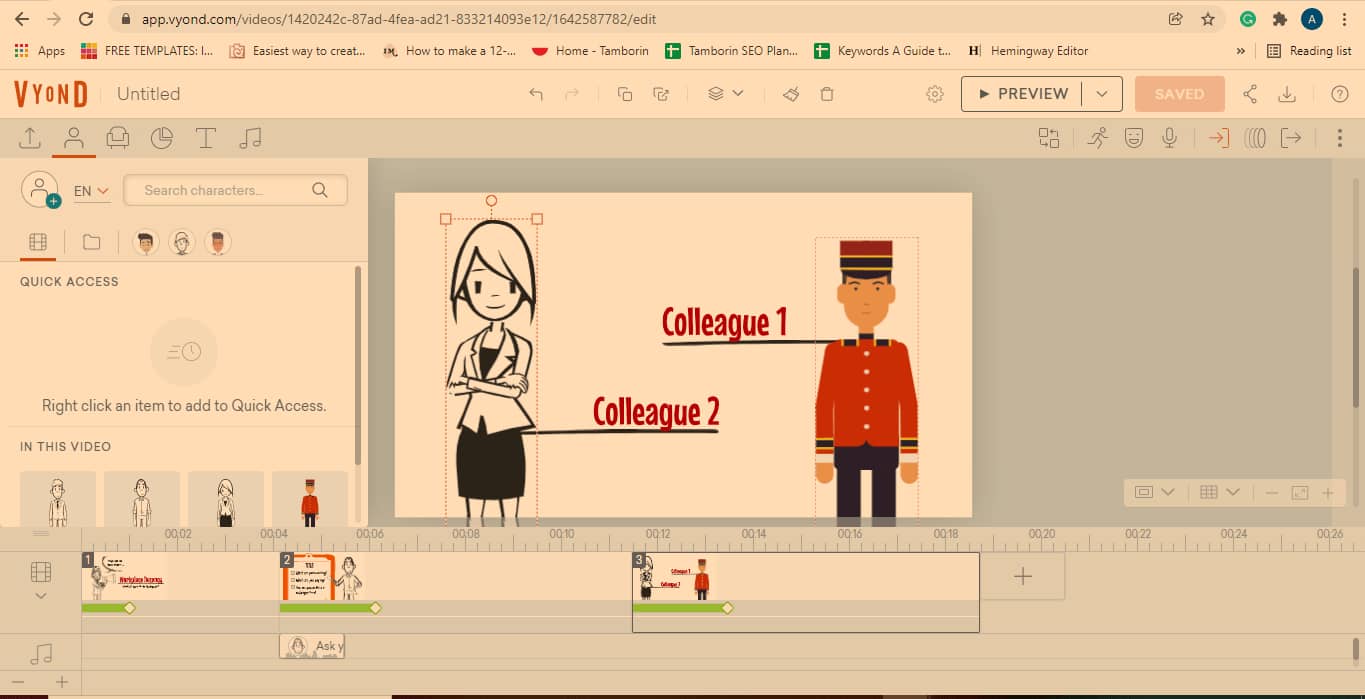
Vyond is a tool that lets users create animated videos. It is a cloud-based tool that excels at:
And more.
It’s best at creating animated videos for situations where video content provides better subject engagement.
Now, you might think of video making as a complex process. And, well, you wouldn’t be wrong.
But with Vyond, practically anyone can make a video like a pro.
However, as incredible as this software is, it isn’t without its weaknesses. Let’s discuss the good and the bad.
https://think.vyond.com/aff-why-vyond?gspk=YnVpaGFuYTc3Ng&gsxid=5nqI9GpFNK0t
Features
With Vyond, you can expect to receive straightforward capabilities. This Vyond review sheds light on whether or not they are as intuitive as they claimed to be.
Templates
While the option to create a video from scratch exists, Vyond offers templates too. With these, beginners have something to start with, while pros can save time.
Vyond templates are feature-rich with characters, props, motions, and other animation actions that come in handy. You can edit them to suit your needs by adding:
- Different colors
- Texts
- New props
- Different backgrounds
- Sound
- Brand logo
The videos in the template library can be browsed by;
- Job role
- Category
- Style
Each of these also has subcategories that you can select. Or, you can combine various elements.
If you have something particular in mind, you can use its search bar to browse the well-stocked library.
Vyond’s comprehensive templates make video projects simple.
Character Creator

I particularly enjoyed using the Vyond character creator.
There are three styles to choose from:
- Contemporary
- Business casual
- Whiteboard casual
After selecting which suits your animation best, you can determine the cartoon’s sex and body size.
After this, you get to edit your Vyond character further. This includes facial features, clothing, and various accessories.
There is no limit to the number of animated individuals you can create with the Vyond character creator. And best of all, you can save them all in your library for future projects.
Take note that the Contemporary style is only available for enterprise and professional subscribers.
Timeline
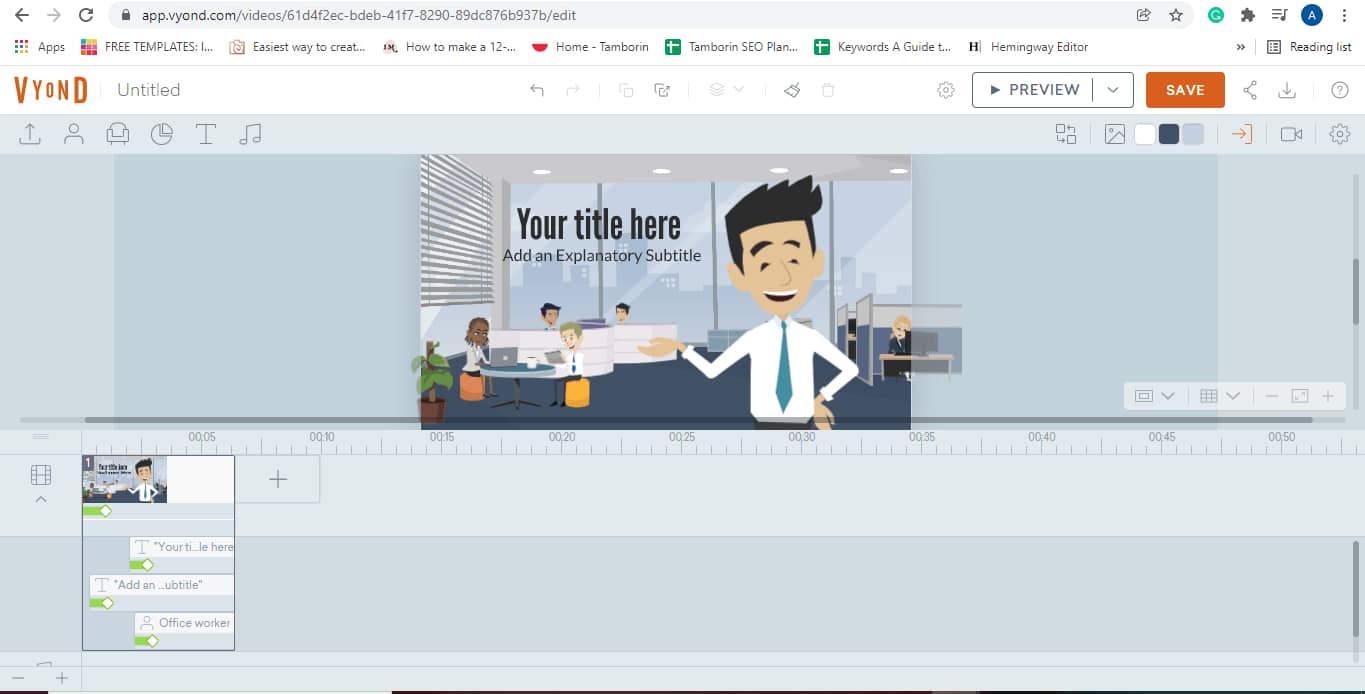
The timeline in its collapsed or expanded view is where much of the video editing occurs. Vyond software opens in the former.
The timeline lets you add a new scene by clicking on the plus button. To expand, select the drop-down arrow on the left side of the panel. An expanded timeline shows details of every element in a scene. You can then make timing adjustments to ensure smooth scene transitions.
This feature is user-friendly, and with a bit of tinkering, you’ll get the hang of it. Other Vyond reviews have emphasized how helpful this feature is, and it’s not overrated.
https://think.vyond.com/aff-why-vyond?gspk=YnVpaGFuYTc3Ng&gsxid=5nqI9GpFNK0t
Saving and Exporting
Since the software is cloud-based, all editing of a Vyond video auto-saves on the platform. Depending on which app you intend to export the video on, there are different download formats and customizable aspect ratios for pairing.
If testing the software with the trial version, downloading is unavailable.
All paid plans have 720p resolution, while 1080p is only accessible to Premium, Professional, and Enterprise users.
There is also an option to download an 8 seconds GIF of your video as a teaser. However, this is also only available to the plans mentioned above.
Videos created and saved in the Vyond studio don’t come with a watermark logo, except those made with the Essential plan.
Editing and Customization
The tool allows users to edit props and texts while creating a video. You can, for example, change their colors to match your brand.
In addition to the available Vyond fonts, you can also upload your brand’s fonts. This ensures consistent branding. This feature is only available on the Professional and Enterprise plan.
Sounds
There is an extensive audio library that includes background music and sounds.
You can preview each effect before applying it to your video. And if something is missing, you can upload it from your source of choice.
For your character dialogue, you have four sound input options:
- Mic recording
- Text to speech
- Upload audio
- Use existing audio
Interface and Ease of Use
The Vyond interface is user-friendly. There are no overly bright colors to distract users from the main functions. You can gain a quick insight into each feature by hovering over them.
The editing page has a help button. From there, you can access numerous tutorials to aid your process – a great advantage for first-time videographers.
If you encounter some challenges while using Vyond studio as a newbie, fret not! With a little patience and access to the help resources, you’ll get the hang of it.
Professional video editors will find Vyond to be a walk in the park. A walk that yields satisfactory results.
Vyond Pricing
Vyond offers a 14-day free trial, after which you can decide to purchase a subscription. My favorite thing about this is that you are not required to input your credit card details.
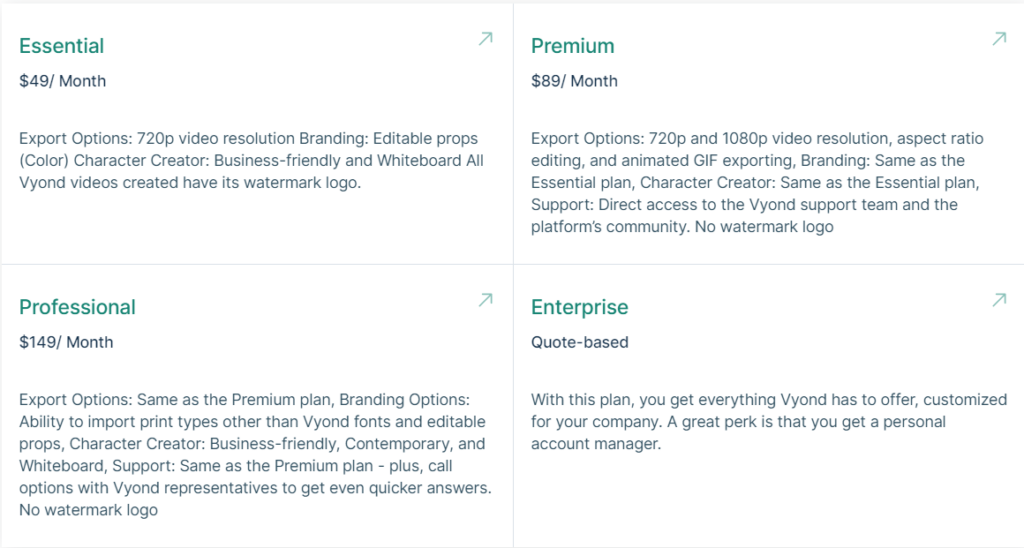
Subscriptions are on a monthly or yearly basis. There are four subscription plans available;
https://think.vyond.com/aff-why-vyond?gspk=YnVpaGFuYTc3Ng&gsxid=5nqI9GpFNK0t
Support
Many Vyond reviews make positive remarks about their customer support. And it’s hard not to disagree.
A floating help button on its page takes you to a Contact Us window to input your name, email address, and issue. Their website provides Customer Support from Monday to Friday, between midnight and 5:30 PM PST.
In my brief interactions, I found representatives helpful and prompt with their replies.
Additionally, you can reach out via phone or email found on their Contact Us page.
Verdict
There are endless possibilities of what you can create, which is exciting. As a first-time video editor, it wasn’t as difficult as I would have expected, and the result was impressive.
The Essential plan is too expensive for what it provides. It has very few functionalities and comes with a watermark on its videos.
With that said, it does have some great features. Vyond animation enables life-like mannerisms like lip-syncing. This gives it a human feel that is often missing in animation software.
As such, if your budget can handle the pricing, Vyond is a service that delivers.
Vyond is entirely cloud-based, meaning everything happens online. It’s too bad Vyond doesn’t offer offline versatility for video projects. All rendering could then be uploaded and finalized online.
No matter, as Vyond is a great tool if you have a sizeable budget.
https://think.vyond.com/aff-why-vyond?gspk=YnVpaGFuYTc3Ng&gsxid=5nqI9GpFNK0t
Eternals Review!